nuvela.io is an advanced AI tool that makes turning text into natural, lifelike speech fast and effortless. Below is a detailed, step-by-step guide to help you get the most out of nuvela.io.
Step 1: Open nuvela.io
First, head over to the nuvela.io platform. Here’s how:
- Open your web browser (Chrome, Firefox, Edge, and so on).
- Go to the official nuvela.io website, or simply search “nuvela.io Text to Speech” on Google.
- Log in to your account, or sign up if it’s your first time using the tool.
Step 2: Enter the Text You Want to Convert
Once you’re in:
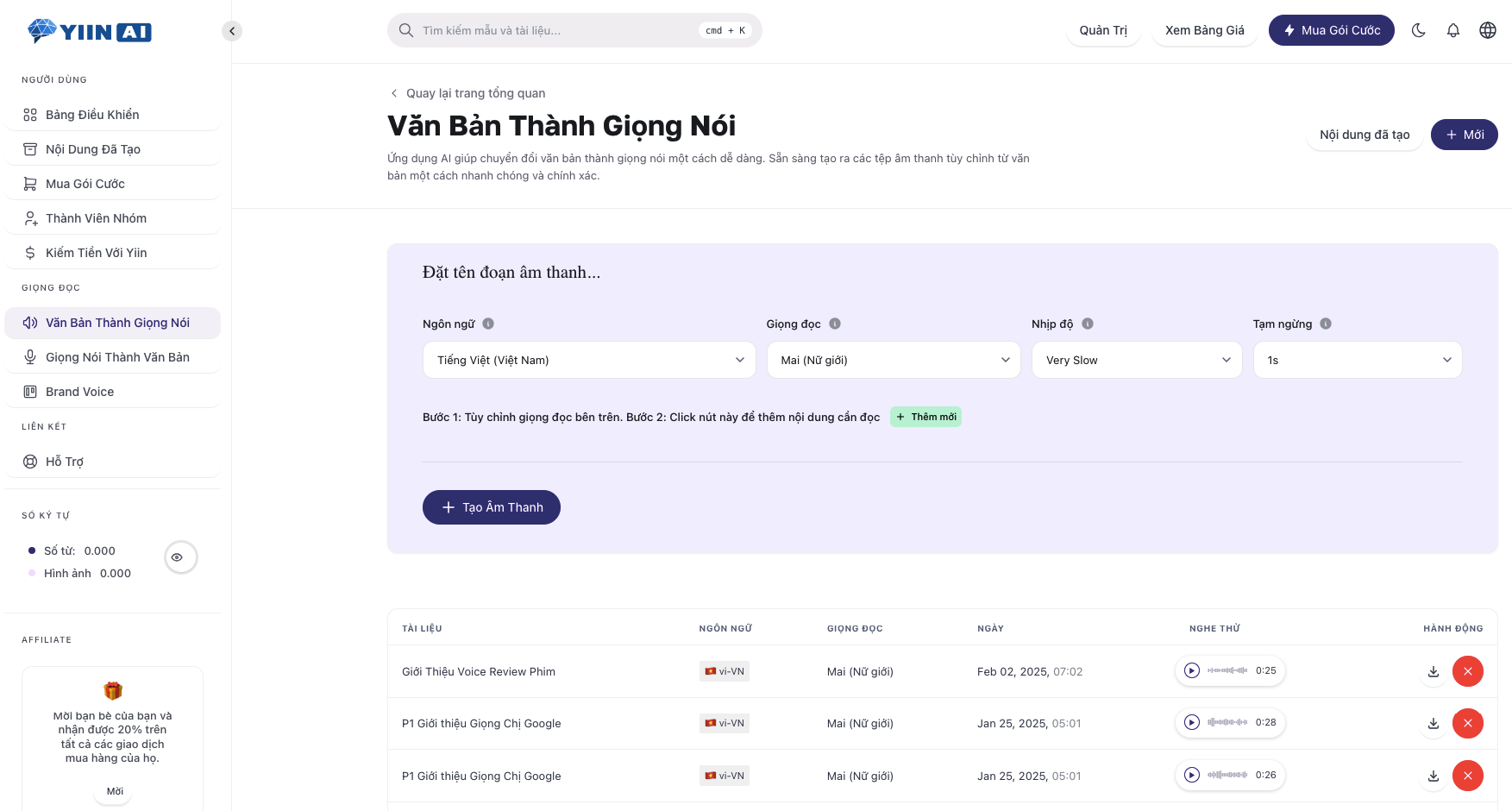
- On the nuvela.io home screen, find and select the “Text to Speech” option.
- Type or paste the text you want to convert into the editor box.
- Clean up the formatting if needed so the speech comes out sounding natural.
Step 3: Pick a Voice
nuvela.io gives you a wide range of voices to choose from:
- Male or female
- Regional or international accents
- Faster or slower delivery
Feel free to try out several voices to find the one that fits your project best.
Step 4: Fine-Tune the Voice Settings
Depending on the voice, you may have options like:
- Speed: slow, normal, or fast
- Tone: deep, neutral, or high
- Delivery: natural pacing, with emphasis on the key words that matter most
Once everything is dialed in, you can preview the audio before you download it.
Step 5: Convert Your Text Into Speech
- Click the “Convert” button.
- Wait a moment while the system processes your text and generates the audio file.
- Listen to the result and make any tweaks you need.
Step 6: Download the Audio File
When you’re happy with the result:
- Click the “Download” button to save the audio file to your device.
- Choose the format you want (MP3).
- Use the audio however you like, whether that’s voicing over a video, producing an audiobook, powering a virtual assistant, and more.
Tips for Getting the Most Out of nuvela.io
- Use punctuation thoughtfully so the AI reads your text smoothly and clearly.
- Try the formatting cues if nuvela.io supports them (for example, using * to add emphasis or ~ to draw out a word).
- Experiment with different voices until you land on the style that feels right.
- Polish your text before converting to avoid awkward pronunciation.
Wrapping Up
nuvela.io is a powerful tool for creating speech from text quickly and easily. Just follow the steps above and you’ll walk away with a high-quality audio file ready for all kinds of projects. Give it a try today and discover everything nuvela.io can do!
Broaden Your Options With Open TTS
In addition to nuvela.io, you might also want to explore Open TTS, an open-source platform for anyone who wants to customize their own text-to-speech system from the ground up. With nuvela.io, though, there’s no complicated setup or technical coding involved. Everything is optimized so you can simply enter your text, pick a voice, and download the audio file in seconds.
nuvela.io: A Smarter Choice Than Traditional Open TTS
If you’re torn between nuvela.io and tools like Open TTS, nuvela.io’s standout advantages are its user experience, its variety of voices, and its ability to produce natural-sounding speech. While Open TTS is a great fit for hands-on developers, nuvela.io is the better choice for content creators, marketers, teachers, and anyone who wants high-quality voices without needing any technical know-how.