TikTok is a social platform that lets users create and share short-form videos ranging from 15 seconds to 3 minutes. Launched in 2016 by ByteDance, TikTok quickly became a global phenomenon, pulling in hundreds of millions of daily users. Its popularity isn't just about giving people a stage to show off their creativity. It's also about how fast it connects people and spins up brand-new trends.
TikTok is the ideal playground for anyone who wants to share their talent, creativity, and personal style. With a deep set of easy-to-use video editing tools, plus a huge library of effects and music, TikTok has become the go-to platform for content creators to experiment and grow.
Meet ChatGPT
ChatGPT is an artificial intelligence tool built by OpenAI that can generate natural-sounding text and respond to you in a conversational way. Trained on billions of words from a wide range of sources, ChatGPT can help you write, brainstorm ideas, and even create video content.
With ChatGPT, you can quickly come up with fresh content ideas, creative video scripts, and ways to raise the quality of your TikTok channel. This tool doesn't just save time. It brings real innovation and efficiency to your entire content creation process.
Understanding Your TikTok Audience
To create creative, scroll-stopping TikTok content, the first thing that matters is genuinely understanding your audience. The majority of TikTok users are teens and young adults, roughly 16 to 24 years old, and they gravitate toward content that's entertaining, creative, and right on top of the latest trends.
By analyzing traits like age, gender, interests, and behavior, you can craft content that actually resonates with them. Staying on top of popular trends and challenges, like trending songs, viral challenges, and new effects, keeps your videos feeling fresh and worth watching.
On top of that, using TikTok's built-in analytics to track how your content performs helps you understand your audience better and fine-tune your creative strategy with real data behind it.
Analyzing Your Target Audience
Before you start creating content on TikTok, it's important to clearly understand who you're making it for. TikTok attracts an incredibly diverse mix of users, from kids and teens to full-grown adults. That said, the bulk of TikTok's audience skews young, usually somewhere between 16 and 24.
Analyzing your audience helps you pin down their interests, habits, and needs. You can do this by researching trends, joining relevant groups and communities on TikTok, and keeping an eye on the platform's analytics and stats.
Getting to Know TikTok's Popular Trends and Challenges
TikTok is famous for trends and challenges that spread like wildfire. Jumping on these can boost your engagement and rack up views. Trends often involve dances, funny challenges, or creative use of special effects.
To stay on top of trends, you should regularly scroll your "For You" feed on TikTok, where the most popular videos and freshest trends surface. It's also smart to take part in challenges and put your own creative spin on them to grab attention.
Using ChatGPT to Brainstorm Content Ideas
ChatGPT is a powerful tool that makes it easy to come up with TikTok topics, creative ideas, or full content scripts for your videos. With its ability to generate natural-sounding text and respond conversationally, ChatGPT can hand you fresh, original suggestions for your content.
You can use ChatGPT to surface trending topics, build out detailed scripts, or spin up different variations of an initial idea. It can also help you join and even create new trends and challenges on TikTok, keeping your content fresh and your audience hooked. By leaning on ChatGPT, you can streamline your content creation, save time, and raise the quality of your videos in one move.
Coming Up With TikTok Topics
Choosing topics for TikTok is a key step in attracting and holding your audience's attention. Picking the right themes doesn't just keep your content consistent. It also makes your channel feel more professional and easier to recognize.
Topics can be wildly varied, from comedy, DIY, fashion and beauty, to food, travel, and storytelling.
Each theme opens up a whole range of fresh, creative ideas that help you connect with your audience. Tapping into current trends and creating content tied to special events is another great way to drive views and engagement.
Focusing on topics you genuinely love and know deeply will help you produce high-quality, compelling videos with real potential to go viral on TikTok.
Here are some themes you can use to create TikTok content:
Comedy:
- Quick change challenge
- Funny lip-sync and music mashup videos
- Random, hilarious moments from everyday life
DIY (Do It Yourself):
- Tutorials for handmade crafts
- Home decor using materials you already have
- Decorations made from recycled materials
Fashion and Beauty:
- Makeup transformations
- Seasonal outfit pairings
- Quick, easy beauty hacks
Food:
- Quick and easy recipe tutorials
- Cooking challenges with surprise ingredients
- Local restaurant reviews
Challenges and Trends:
- Joining challenges that are trending on TikTok
- Creating new challenges and inviting viewers to join in
- Putting your own personal spin on a trend
Travel and Exploration:
- Travel destination reviews
- Packing guides for trips
- Videos of your experiences at famous destinations
Storytelling:
- Retelling fun, bite-sized stories
- Legends and folktales
- Memorable personal experiences
Study and Work:
- Effective study tips
- Productivity tips for work
- Sharing job experience and professional skills
Health and Fitness:
- At-home workout routines
- Healthy eating plans
- Fitness challenges
Tech and Digital Life:
- Reviews of the latest tech products
- Tips for using apps and software
- Current tech trends
Art and Creativity:
- Drawing and painting tutorials
- Creating art from simple materials
- Original music or dance videos
Animals and Nature:
- Sharing adorable moments with your pets
- Nature exploration videos
- Pet care tips
Family and Kids:
- Fun activities for kids
- Sharing family moments
- Parenting tips
Love and Relationships:
- Dating and relationship advice
- Sharing your own love stories
- Lighthearted videos about relationships
Mindset and Mental Wellness:
- Personal development advice
- Tips for managing stress and anxiety
- Sharing inspiring stories
These themes will help you diversify your content and draw in a wide range of different audiences on TikTok.
How ChatGPT Helps You Brainstorm Creative Ideas
ChatGPT can be a serious asset when it comes to brainstorming TikTok videos. Just feed it a few keywords or a topic you care about, and ChatGPT can generate fresh suggestions and ideas on the spot.
For example, if you want to make a funny video, you can ask ChatGPT to suggest a few comedic situations or jokes. If you want to hop on a current trend, you can ask ChatGPT for variations or related ideas tied to that trend.
Examples of Using ChatGPT to Generate Ideas
Here are a few examples of how ChatGPT can suggest content ideas for TikTok:
- Comedy: "Come up with a funny scenario where someone tries to cook for the very first time."
- DIY (Do It Yourself): "Suggest an easy DIY project using materials I already have at home."
- Fashion: "Give me some summer outfit ideas."
These suggestions can be tweaked and built out further to match your own style and interests.
Writing Scripts and Video Content
Building a detailed script and writing your video content is a crucial step in making sure your TikTok videos come across as polished and engaging. With ChatGPT, you can easily develop a full script from those first rough ideas. ChatGPT can help you write dialogue, voiceover lines, and step-by-step directions for your video. On top of that, it can help you optimize your script to fit TikTok's short runtime, making sure your message lands in a tight, effective package.
Using ChatGPT to create interactive, engaging content also boosts how much your audience interacts with you, from asking questions and adding calls to action to weaving in other fun interactive elements.
With ChatGPT in your corner, writing TikTok scripts and video content becomes simpler and more effective, helping you produce high-quality videos that keep viewers watching.
Using ChatGPT to Write Detailed Scripts
Once you have a content idea, the next step is developing a detailed script for your video. ChatGPT can help you write scripts quickly and easily. Just feed it some basic info about your content, and ChatGPT will generate dialogue, voiceover lines, or step-by-step instructions.
For example, if you want to make a cooking tutorial, you can ask ChatGPT to write a script with detailed steps, from prepping the ingredients all the way through cooking.
Optimizing Scripts for TikTok's Short Runtime
One of the biggest challenges of creating content on TikTok is the short video length. That's why it's so important to optimize your script to deliver your message quickly and effectively. ChatGPT can help you trim and refine your script so your content stays concise without losing anything important.
Creating Interactive, Engaging Content
To make your videos more engaging and interactive, use ChatGPT to create questions, calls to action (CTAs), or other interactive elements. For example, you can ask ChatGPT to suggest interesting questions to pose to your audience, or to write CTAs that invite them to join in on a challenge or trend.
Using ChatGPT to Edit and Improve Your Content
Once you've created your script and video content, the next step is editing and improving it to make sure it's the best it can be. ChatGPT can play a major role here. With its ability to analyze and suggest, ChatGPT helps you evaluate your copy, dialogue, and script structure to make everything flow better and feel more compelling. You can use ChatGPT to polish your wording, sharpen your phrasing, and make the script a better fit for your style and your audience.
ChatGPT can also help you write catchy titles and descriptions for your videos, which is a key factor in grabbing viewers right from the first glance. By using ChatGPT to optimize these pieces, you can expand your reach and boost engagement. Bringing ChatGPT into your editing and improvement process doesn't just save time. It raises the quality and effectiveness of your TikTok videos, helping you attract and hold onto your audience more easily.
Evaluating and Editing Content With ChatGPT's Help
After you create your content, the next important step is evaluating and editing it to make sure it's high quality. ChatGPT can help you review your copy and dialogue and improve your wording and phrasing so the content reads more clearly and pulls people in.
Writing Catchy Titles and Descriptions for TikTok
Titles and descriptions are key to grabbing a viewer's attention. ChatGPT can help you write catchy titles and descriptions that spark curiosity and nudge people to tap on your video. For example, you can ask ChatGPT to create a punchy, attention-grabbing title or a detailed description of what your video is about.
Building ChatGPT Into Your Daily Content Workflow
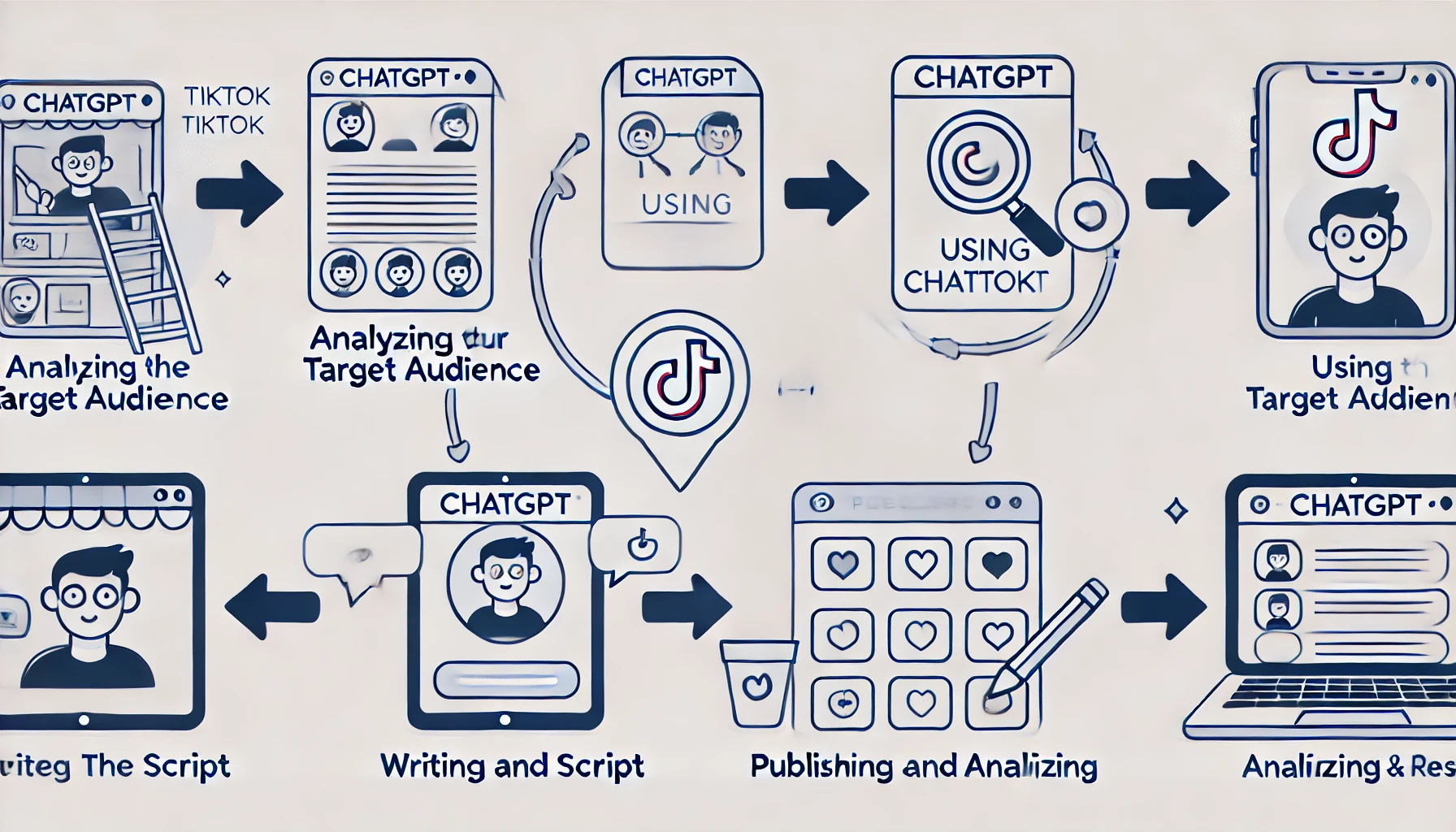
Building ChatGPT into your daily content workflow helps you stay consistent and efficient as you produce TikTok videos. ChatGPT can support you in planning your creative schedule, from developing ideas and writing scripts to editing and optimizing content. By keeping a clear schedule and using ChatGPT to organize and manage each stage of the process, you'll find it easy to track your progress and make sure you always have fresh content ready to post.
What's more, ChatGPT can help you track and analyze how your published videos are performing. It offers suggestions based on audience feedback and your stats, helping you understand what's working and what needs work. By weaving ChatGPT into your daily routine, you don't just sharpen your creativity. You raise the quality and effectiveness of your content, helping your TikTok channel grow faster.
Building a Content Schedule With ChatGPT
To stay consistent and efficient as a creator, you should plan and manage your creative time. ChatGPT can help you build a content schedule, from brainstorming ideas and writing scripts to filming, editing, and posting. With a clear schedule in place, you'll easily track your progress and make sure you always have fresh content to share with your audience.
Using ChatGPT to Track and Analyze Content Performance
After you publish a video, tracking and analyzing how it performs is essential for understanding what's working and what needs improvement. ChatGPT can help you analyze your stats and audience feedback, then suggest strategies to improve future content.
For example, you can feed in numbers on views, likes, comments, and shares, then ask ChatGPT to analyze them and offer suggestions for optimizing your content. This way, you can continuously improve your video quality and boost engagement with your audience.
Using ChatGPT to create TikTok content comes with plenty of standout benefits, including:
- Saving time: ChatGPT helps you quickly generate content ideas and scripts without burning a lot of time and effort.
- Boosting creativity: With ChatGPT's help, you can explore fresher, more creative ideas that make your content stand out on TikTok.
- Improving content quality: ChatGPT helps you polish