Free Text to Speech Online
Turn text into speech in just a few seconds with the latest TTS technology from Yiin.AI. No manual recording required – you can create professional audio content directly in your browser, completely free.
Start Creating with 10,000 Free Credits
Every idea deserves to be heard. With 10,000 free credits from Yiin.AI, you’re not just trying a tool – you’re opening the door to turning written text into vivid audio that touches listeners’ emotions.
Whether you want to make TikTok videos, podcasts, audiobooks, or e-learning lectures, AI voice technology helps you save time, enhance quality, and deliver your message professionally – without needing a real voice, recording studio, or audio skills.
This is the first step to creating modern, smart, and easily shareable content – with just a few clicks.
Create free AI voices with 10,000 trial credits at Yiin.AI. Sign up quickly – convert text to professional MP3 files in just a few steps.
Convert Text to Speech for Free
Try top-tier text-to-speech technology – no recording, no software installation required.
Want to create videos with voiceovers, make podcasts, audiobooks, or simply convert a text snippet into easy-to-listen audio?
At Yiin.AI, you can convert text to AI speech for free in just a few steps – with 10,000 trial credits completely free.
How to Try Free TTS at Yiin.AI
| Step | Action |
|---|---|
| ✅ Step 1 | Sign up for a Yiin.AI account using email or Google |
| ✅ Step 2 | Receive 10,000 free credits in your account |
| ✅ Step 3 | Paste the text you want to read, select a suitable AI voice |
| ✅ Step 4 | Click “Generate Voice” and download the MP3 file |
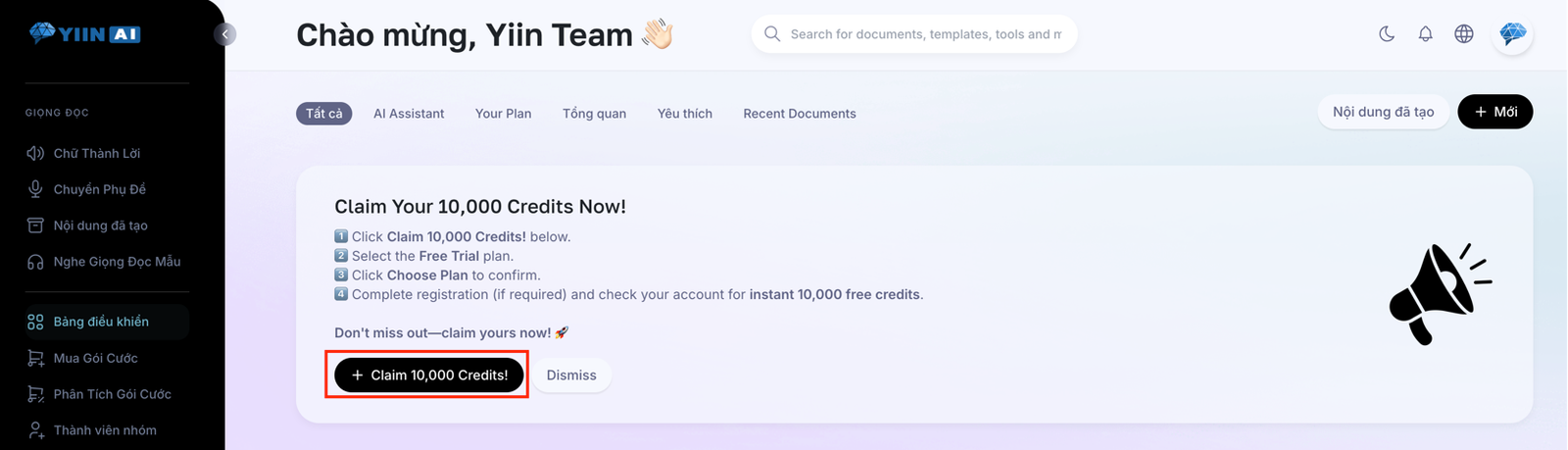
You can use credits to try multiple voice types: OpenAI voice, movie review voice, narration voice… all natural, smooth, with accurate Vietnamese pronunciation and 60+ other languages.
What Does the Free Trial Include?
| Feature | Free Package |
|---|---|
| Initial credits | 10,000 |
| Supported languages | 60+ languages |
| Vietnamese voice | ✅ Yes |
| Downloadable file | High-quality MP3 |
| Advanced voices | ✅ Yes (OpenAI) |
| Commercial use | ✅ Allowed |
With 10,000 credits, you can create about 10–15 minutes of high-quality audio, enough to test voices and make trial content.
Who Should Use Free TTS at Yiin.AI?
Yiin.AI is suitable for anyone who wants to quickly turn text into speech:
- TikTok, Shorts, YouTube video creators
- Individual or professional podcasters
- Audiobook or ebook authors who want professional narration
- Teachers creating lectures or audio materials
- Marketers or businesses creating voiceovers for ads or landing pages
Compare Yiin.AI with Other Tools
| Criteria | Yiin.AI | Other Free Tools |
|---|---|---|
| Voice quality | 🌟🌟🌟🌟🌟 (Google + OpenAI) | 🌟🌟 or robotic |
| Vietnamese support | Clear, natural, smooth | Often mispronounced |
| Free limits | 10,000 trial credits | Low limit, watermark included |
| Commercial rights | ✅ Fully allowed | ❌ Many restrictions |
| Interface & usability | User-friendly, supports Vietnamese | Hard to use |
Frequently Asked Questions (FAQs)
1. How to create free AI voices?
Simply register an account on Yiin.AI – you will immediately receive 10,000 credits for free trial use.
2. Can these voices be used for YouTube or TikTok?
Yes. The MP3 files you create can be used for personal, commercial, video, or advertising purposes without watermarks.
3. How many credits are enough for one video?
A 1-minute video typically consumes 500–800 credits, depending on language and voice speed.
4. Is there Vietnamese voice support?
Yes – multiple options: natural Google voice, narration, review voice… all support standard Vietnamese pronunciation.
5. What happens after the 10,000 credits are used?
You can upgrade to a paid plan starting at $3.99/month for unlimited creation.
6. Do I need to download an app or software?
No. Yiin.AI runs directly in the browser – works on computer, phone, or tablet.
7. What file format is exported?
High-quality MP3, easy to use for videos, podcasts, courses…
8. Can reading speed be adjusted?
Yes – you can adjust speed, pauses, emphasis as desired.
9. Is there a history of created files?
Yes – you can re-download any created file at any time from the dashboard.
10. Are English, Chinese, Japanese voices supported?
Yes – the system supports over 60 global languages.
Start Creating Your AI Voice Today
With just a text snippet, you can turn it into a professional voice – no recording studio, microphone, or complex software needed.
👉 Sign up for free and get 10,000 credits today to start your AI voice content creation journey.